

NetXMS now includes built-in Asset Management. This feature started when a client needed to meet specific ISO standards that required detailed asset tracking.
What began as a custom solution has grown into a core capability that gives you real control over your IT inventory.
The Problem with Separate Systems
Most monitoring tools are great at telling you when something’s down. They’re not so great at telling you when that device’s warranty expires, who owns it, or whether it’s scheduled for replacement.
Organizations struggle with maintaining accurate inventories, tracking asset relationships, managing compliance requirements, and understanding total cost of ownership across their technology infrastructure.
The challenge becomes even more complex in environments where regulatory compliance drives asset management requirements.
ISO standards such as ISO 27001 for information security management and ISO 20000 for IT service management include specific provisions for asset management. These provisions require organizations to maintain detailed records of their IT assets, including ownership, classification, handling requirements, and disposal procedures.
Running two disconnected systems — one for monitoring, and another for asset management — makes compliance harder than it needs to be.
How NetXMS Handles It
NetXMS Asset Management lives inside your monitoring platform. No separate database. No manual syncing.
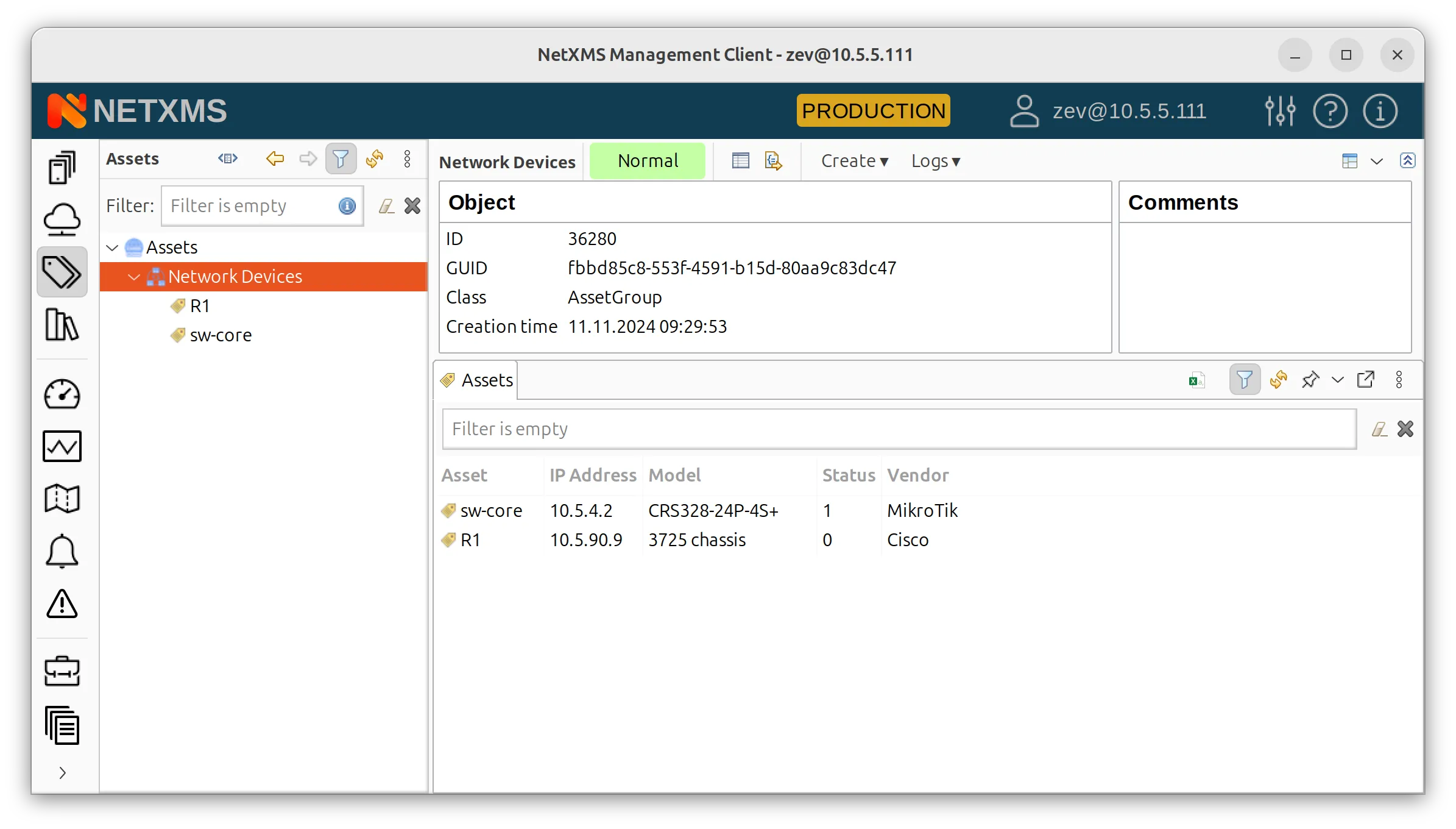
You can download your asset list into NetXMS from your existing system (if any).
Now, run network discovery in NetXMS — when the monitoring system discovers a node in your network (physical or logical), you can connect it to an asset from your list.
This also works the other way around — you can choose an asset and connect it to a node in your network. All the information available from the node will be automatically reflected in your asset form.
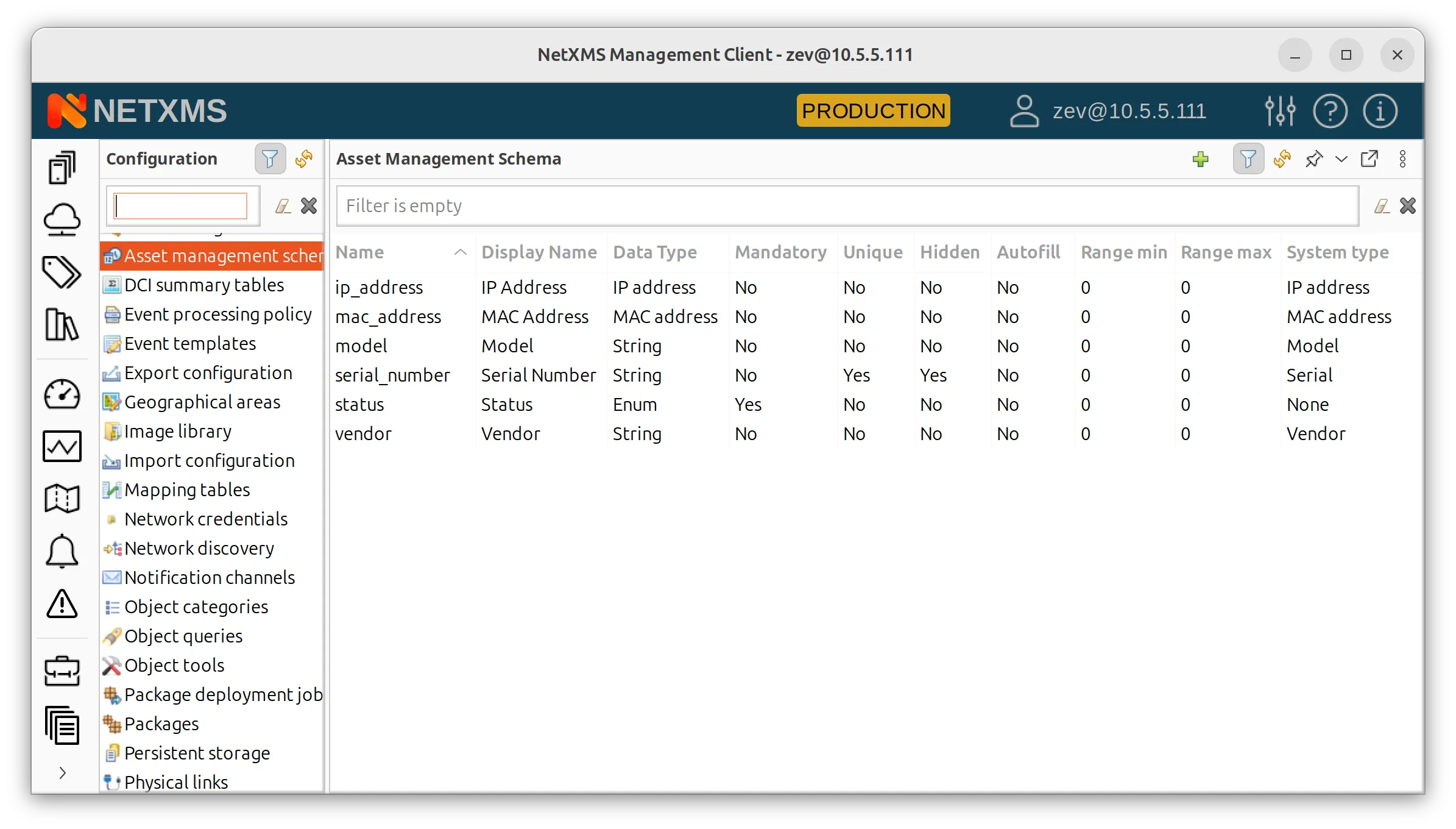
Moreover, the choice of the exact fields in your Asset Management perspective is completely yours — you can add or remove fields as you need.
The real value of having one unified system shows up when something breaks.
Instead of just seeing “Server X is down,” you can immediately check: Is it under warranty? When was it last serviced? Who’s the vendor contact? That context helps you respond faster and make better decisions.
What You Can Actually Do
Asset registration and tracking functionality enables organizations to maintain detailed records for every asset, whether automatically discovered through network monitoring or manually entered for offline equipment and software licenses.
Classify Your Assets
Tag assets by security level, business importance, or regulatory requirements. These classifications can then drive your monitoring policies. Critical assets get more attention, assets scheduled for retirement might need less.
Define Your Own Fields
Asset schemas are fully customizable — add any entry types to track exactly the information you need.
Track the Full Lifecycle
Follow each asset from deployment through maintenance, upgrades, and eventual disposal. The system keeps an audit trail of everything, which is exactly what compliance auditors want to see.
Automate Info Entry
One of the most significant advantages of NetXMS Asset Management is its deep integration with the platform’s monitoring capabilities. This integration enables automatic population of asset information for network-connected devices while ensuring that monitoring policies can be applied based on asset classifications and business importance.
When NetXMS discovers new network devices through its automatic discovery processes, the Asset Management system can automatically create corresponding asset records with basic information such as device type, location, and network configuration. This automatic asset creation reduces manual data entry requirements while ensuring that all monitored devices have corresponding asset management records.
ISO Compliance Made Simpler
ISO 27001 information security management standards require organizations to maintain accurate inventories of information assets and implement appropriate security controls based on asset classification and sensitivity.
This perspective in NetXMS was literally built for ISO compliance, so it addresses those requirements directly.
For ISO 27001: You can classify assets by security level and assign appropriate controls. The audit trail documents all changes to asset records.
For ISO 20000: You get the configuration management and asset tracking these standards require. Changes to asset configurations are logged automatically.
Because monitoring and asset management share the same platform, you can also demonstrate that critical assets are being properly monitored and that security incidents are being detected and addressed. That’s the kind of evidence auditors appreciate.
Getting Started
A few things to think about before you dive in:
Define your classification scheme first. What categories make sense for your organization? What security levels do you need? Get this right upfront and everything else becomes easier.
Clean your data. If you’re migrating from another system, take the opportunity to fix inconsistencies. Bad data in means bad data out.
Plan your processes. How will new assets get registered? Who approves changes? Think through the workflows before you go live.
Train your team. Make sure people understand not just which buttons to click, but how asset management fits into their daily work.
What’s Coming Next
We’re continuing to expand Asset Management based on user feedback. On the roadmap:
- Better APIs for integrating with procurement and financial systems
- More advanced reporting and analytics
- Support of the LLM-powered functionality
If you’re already using NetXMS for monitoring, adding asset management means you get a single source of truth for your infrastructure. No more jumping between systems. No more wondering if your asset database matches reality.
And if compliance is driving this for you — as it was for the client who originally requested this feature — you’ll find that having monitoring and asset management in one place makes audits significantly less painful.
Want to learn more? Contact the NetXMS team to discuss how Asset Management can work for your organization.